Abfrage von AD-Attributen anhand eines Benutzer-Objekts (Max Muster):
1) Get-ADUser -Identity Max

2) Wem das zu wenig ist, erhält hiermit sämtliche Attribute des AD-Benutzers: Get-ADUser -Identity Max -Properties *
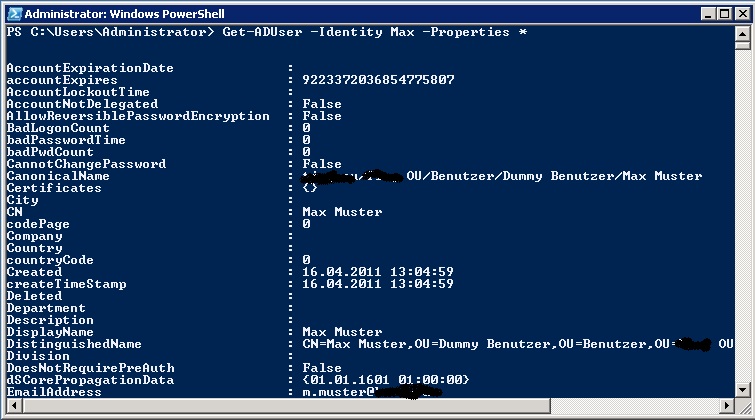
3) Folgender Befehl zeigt den Common Name [CN] und den SID (cn,objectsid) sämtlicher AD-Benutzer (-Filter *) in Form einer Liste (| fl) an: Get-ADUser -Filter * -Properties * | fl cn,objectsid
4) Soll die Suche auf Besucher einer bestimmten OU eingeschränkt werden, ist der Filter wie folgt zu setzen: Get-ADUser -Filter * -SearchScope OneLevel -SearchBase „DN der OU“ -Properties * | fl cn,objectsid
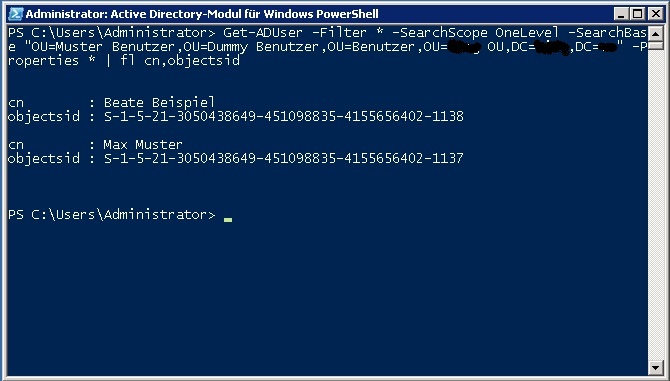
Soll sowohl die genannte OU als auch deren Unter-OUs durchsucht werden, ist der Befehl anzupassen: „-SearchScope SubTree„.
Eine Antwort zu “PowerShell | Attribute eines AD-Objekts abfragen”
Hi there! I just wanted to ask if you ever have any problems with
hackers? My last blog (wordpress) was hacked and I ended up losing several
weeks of hard work due to no data backup. Do you have
any methods to protect against hackers?